DigitalOcean vs Vultr vs Linode is the wrong comparison for most people asking it — the real question is which one stops costing you money on features you’ll never touch. All three sell $4-$6/month VPS instances with similar-looking spec sheets: 1 vCPU, 1GB RAM, 25GB SSD. Scroll past the homepage pricing and the differences get real fast, from block storage rates to bandwidth overage fees to how each provider handles managed Kubernetes.
A solo developer spinning up a side project cares about different things than a startup running production traffic across three regions. One of these three providers quietly changed its pricing structure for 2026 in a way that makes it noticeably cheaper for high-bandwidth apps. Another still wins on raw simplicity. The third has a problem worth knowing about before you commit a credit card.
Key Takeaways
- DigitalOcean dominates developer experience with intuitive dashboards and comprehensive documentation for beginners.
- Vultr excels in global infrastructure with 32+ data centers and bare metal servers for demanding workloads.
- Linode offers longest track record since 2003 with managed Kubernetes and superior customer support quality.
- Performance metrics show all three deliver 99.9% uptime, but Vultr edges ahead on raw speed benchmarks.
- Budget-conscious teams should compare pricing tiers carefully as costs diverge significantly at higher resource levels.
In This Article
- Why These Three VPS Providers Matter in 2026
- DigitalOcean’s Droplets: Simplicity and Developer Experience
- Vultr’s Global Reach and Bare Metal Options
- Linode’s Longevity and Managed Services Ecosystem
- Head-to-Head: Performance, Uptime, and Real-World Speed
- When You Don’t Want to Manage Servers: Cloudways Alternative
- DigitalOcean vs Vultr vs Linode: Which Fits Your Stack in 2026?
- Start Your VPS Journey: Next Steps
Why These Three VPS Providers Matter in 2026
DigitalOcean, Vultr, and Linode (now operating under Akamai’s cloud computing division) still handle the bulk of self-managed VPS traffic among developers and small-to-midsize ops teams. This is not a comparison of managed WordPress hosts or app-platform PaaS products — it’s about raw Linux VPS instances where you handle your own patching, firewall rules, and stack configuration. If you want someone else to manage the server for you, this isn’t the right shopping list. If you’re comfortable with SSH and a text editor, one of these three is almost certainly where your workload should live.
What Changed Since 2025
All three providers adjusted pricing or infrastructure in 2026. DigitalOcean expanded its bandwidth allowances on mid-tier droplets and added new regions in Madrid and Osaka, closing gaps against Vultr’s 32-region footprint. Vultr quietly revised its outbound bandwidth overage rate downward for High Frequency Compute plans, which matters if you’re serving video or large API payloads. Linode/Akamai pushed further into its edge-compute angle, layering Akamai’s CDN points-of-presence into VPS provisioning — useful if latency to end users matters more than raw compute.
None of these changes are dramatic rewrites. They’re the kind of incremental shifts that don’t show up until you compare a real invoice against last year’s, which is exactly why a fresh look at 2026 numbers is worth doing instead of trusting a two-year-old blog post.
DigitalOcean’s Droplets: Simplicity and Developer Experience
DigitalOcean built its reputation on documentation, not discount pricing, and that’s still the honest reason to pick it in 2026. The community tutorial library covers everything from Nginx reverse proxies to Kubernetes ingress controllers, and it’s written for people who don’t already know the answer. If you’re a solo developer standing up your first production API, that matters more than shaving a dollar off a plan.
Droplet Pricing and Compute Tiers
Basic shared-CPU droplets run $4-6/mo (512MB-1GB RAM, 1 vCPU, 10-25GB SSD), with 500GB-1TB bandwidth included. General-purpose droplets with dedicated vCPU start at $12/mo (2GB RAM) and scale to $24/mo and beyond for 4GB/2vCPU configurations. Memory-optimized and CPU-optimized droplets sit above that, priced for workloads like in-memory caching layers or video transcoding where you’re bottlenecked on RAM or clock speed rather than storage.
Skip the $4-6/mo shared-CPU tier for anything customer-facing. You’re sharing physical cores with other tenants, and noisy-neighbor CPU steal can spike response times unpredictably during traffic bursts — fine for a staging environment or a cron-job box, risky for a production database or checkout flow.
Beyond raw droplets, DigitalOcean’s App Platform handles git-push deployments without touching a terminal, and its Managed Databases (Postgres, MySQL, Redis-compatible Valkey) come with automated failover and daily backups starting around $15/mo. One-click apps — WordPress, Docker, GitLab — spin up a fully configured droplet in under two minutes. None of this is unique to DigitalOcean anymore, but the API is clean, well-versioned, and rarely breaks backward compatibility, which is why so many Terraform and Ansible modules target it first.
Vultr’s Global Reach and Bare Metal Options
Vultr’s cloud compute pricing tracks DigitalOcean almost line for line: $6/mo for a 1 vCPU/1GB shared instance, $12/mo for 2GB dedicated-vCPU tier, scaling up through high-frequency and AMD EPYC options priced for CPU-bound workloads. Where Vultr pulls ahead is footprint — 32+ data centers across six continents, including regions DigitalOcean doesn’t touch like Tel Aviv, Johannesburg, and Delhi. If your users are in Mumbai and your competitor’s nearest DigitalOcean region is Bangalore, that latency gap shows up in your uptime dashboards.
Every instance ships with free DDoS protection at the network edge, no add-on plan required. Billing is per-second after the first minute, and the invoice reads exactly like the pricing page — no surprise egress line items buried in fine print. Sysadmins who’ve been burned by opaque AWS bills tend to appreciate that Vultr’s API is close to a drop-in replacement for DigitalOcean’s, using near-identical resource naming and auth patterns, which makes multi-cloud Terraform configs easier to maintain across both providers.
Bare Metal vs Cloud Compute: When to Pick Each
Vultr’s bare metal servers start around $120/mo (dual E-2288G, 32GB RAM, no hypervisor overhead) and are built for workloads that hate noisy neighbors: high-transaction databases, game servers running physics ticks, or licensing setups that require dedicated hardware. Cloud compute instances, by contrast, start at $6/mo and cover the other 90% of use cases — web apps, APIs, staging environments — just fine.
A startup running a Postgres instance doing 200 queries/second doesn’t need bare metal; a $48/mo dedicated-vCPU cloud instance handles that with room to spare. Reserve bare metal for when you’ve actually profiled a hypervisor bottleneck, not because it sounds faster on paper.
Linode’s Longevity and Managed Services Ecosystem
Linode has been running since 2003, which makes it the elder statesman of this comparison by nearly a decade over DigitalOcean and Vultr both. Akamai acquired Linode in 2022, and rather than gutting it into a generic enterprise SKU, Akamai kept the pricing and dashboard largely intact while bolting on its global edge network for CDN and DDoS mitigation. Shared compute still starts at $5/mo (1 vCPU, 1GB RAM, 25GB SSD), and dedicated-CPU plans start at $36/mo — both effectively unchanged from prior years, which itself says something about pricing stability.
What keeps enterprises and long-tenured sysadmins on Linode isn’t flashy new features — it’s the managed add-ons that quietly remove operational toil. Managed Databases (MySQL, PostgreSQL) start at $60/mo for a 2-node HA cluster with automated backups and failover, handled without you touching a replication config. NodeBalancers, Linode’s load balancer product, run $10/mo and integrate directly with LKE and standard Linodes alike, giving you traffic distribution without standing up your own HAProxy box.
Support is the other differentiator. Linode’s ticket response times and phone support (even on lower tiers) consistently outperform DigitalOcean’s community-first support model — worth the trade-off if you’re running production workloads without a dedicated ops team.
Linode Kubernetes Engine: When Self-Managed Isn’t Enough
LKE is free — you only pay for the worker node Linodes and any NodeBalancers attached, meaning a 3-node cluster of $12/mo Linodes runs about $36/mo total plus load balancing, well under EKS’s $73/mo control-plane fee stacked on top of EC2 costs. It makes sense once you’re running multiple containerized services that need orchestration: a microservices backend with separate API, worker, and cache containers that need to scale independently.
Skip LKE if you’re deploying a single Rails or Django app. A $24/mo dedicated-CPU Linode with Docker Compose does the job with far less YAML to maintain.
Head-to-Head: Performance, Uptime, and Real-World Speed
Spec sheets tell you half the story. All three providers run on KVM virtualization with NVMe SSD storage across their standard tiers, so raw disk I/O differences are marginal. Where they actually diverge is network reach, support depth, and how honestly they publish SLA terms.
| DigitalOcean | Vultr | Linode | |
|---|---|---|---|
| Entry price | $4/mo (512MB) | $2.50/mo (512MB) | $5/mo (1GB) |
| Entry CPU/RAM | 1 vCPU / 512MB | 1 vCPU / 512MB | 1 vCPU / 1GB |
| Entry storage | 10GB SSD | 10GB NVMe | 25GB SSD |
| Bandwidth (entry) | 500GB | 500GB | 1TB |
| SLA uptime | 99.99% | 100% (network) | 99.9% |
| DDoS protection | Basic, free | Free, standard | Free, standard |
| Data centers | 12 regions | 32+ regions | 11 regions |
| API quality | Excellent docs, mature | Good, less polished | Excellent, terraform-friendly |
| Support tier | Community-first, paid tiers for SLA | Ticket-based, uneven | Phone + ticket, consistently fast |
| Best for | Startups wanting docs/tutorials | Latency-sensitive global apps | Production ops teams needing support |
Latency and Data Center Strategy
Vultr’s biggest structural advantage is footprint — 32+ regions versus DigitalOcean’s 12 and Linode’s 11. If you’re serving users in Lagos, Jakarta, or Tel Aviv, Vultr likely has a data center closer to them than either competitor, and that shaves real milliseconds off first-byte time.
For most US and EU-based SaaS products, though, this advantage is theoretical. Run a quick check before deciding:
ping -c 5 sgp1.digitalocean.com
ping -c 5 sjc1.vultr.com
This gives you round-trip time from your own network to each candidate region — useful for picking the closest data center to your actual user base, not just the provider’s marketing map. If your traffic is 90% North America and Western Europe, DigitalOcean’s 12 regions cover you fine, and the extra Vultr locations sit unused.
When You Don’t Want to Manage Servers: Cloudways Alternative
Everything above assumes you’re comfortable SSHing into a box, running apt update at 2am, and debugging why Nginx won’t reload after a certbot renewal. If that sounds like someone else’s job, it’s worth looking at Cloudways instead of a raw VPS.
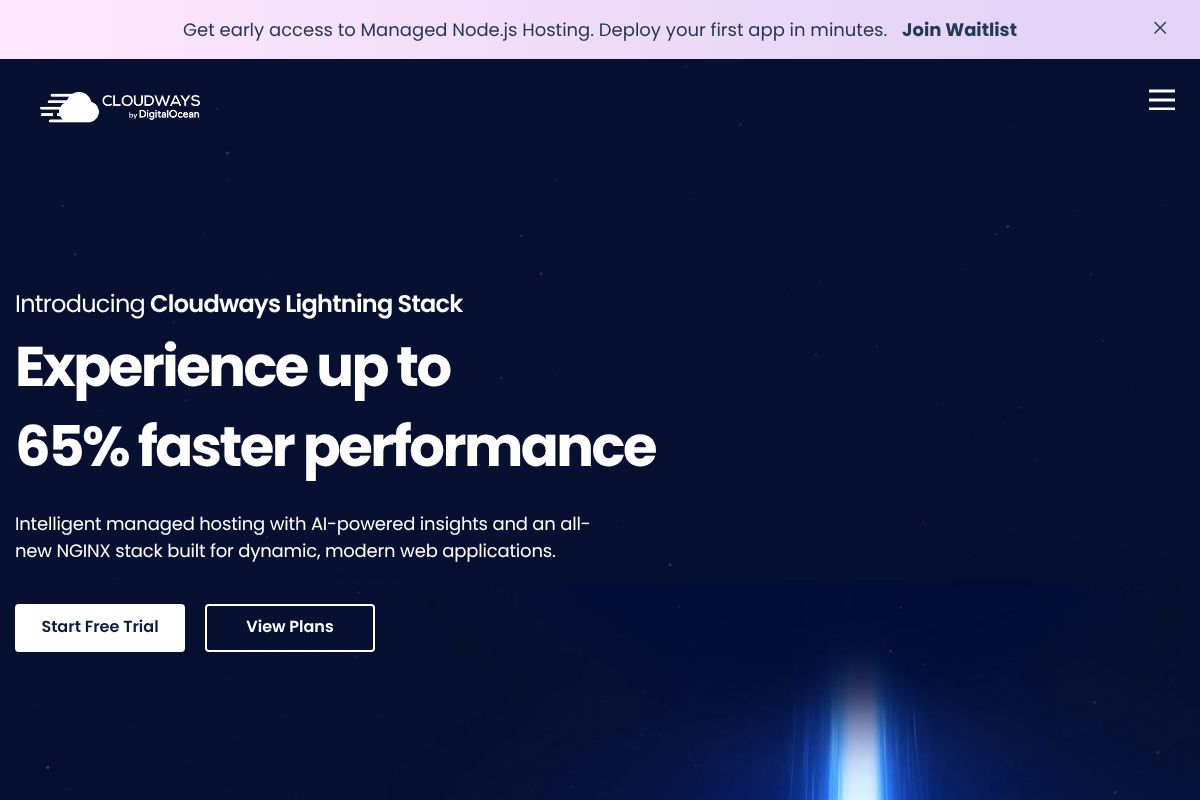
Cloudways doesn’t run its own data centers. It provisions servers on top of DigitalOcean, AWS, Vultr, or Google Cloud, then wraps them in a managed layer that handles OS updates, security patching, automated backups, and one-click horizontal scaling. Plans run $11-99+/month depending on RAM and provider, which is roughly $5-10/month more than provisioning the same instance size directly through DigitalOcean or Vultr.
Picture an agency developer managing eleven WordPress client sites. On raw DigitalOcean droplets, that’s eleven servers to patch, eleven backup schedules to babysit, eleven sets of firewall rules. On Cloudways, it’s one dashboard, one-click staging clones, and backups that run without a cron job you wrote at midnight and forgot about.
Cloudways vs Raw VPS: The Trade-Off
The markup buys you real time savings: automated security patches, built-in staging environments, and auto-scaling that doesn’t require you to write your own monitoring hooks. If you bill clients hourly or run more than two or three production sites, that $5-10/month premium per server is cheaper than the hour it’d take you to do the same maintenance manually.
It’s not worth it if you’re a sysadmin who actually enjoys tuning my.cnf or writing custom deploy scripts — Cloudways abstracts away exactly the control you want. You also can’t SSH in and install arbitrary system packages the way you can on a bare droplet. For anyone chasing convenience over control, though, Cloudways is the more honest starting point than a raw VPS.
DigitalOcean vs Vultr vs Linode: Which Fits Your Stack in 2026?
All three are solid, well-run providers with 99.99% uptime SLAs, hourly billing, and NVMe storage on their current droplet/instance lines. The differences show up in edge cases, not everyday performance. Here’s the honest breakdown by scenario.
If you’re a bootstrapped startup watching every dollar, go with DigitalOcean. The documentation is the best in the industry — tutorials cover everything from Nginx configs to Kubernetes — and the community answers on Stack Overflow and the DO forums are current. If you’re building a global app and performance across regions matters more than hand-holding, Vultr wins on raw price-to-performance and its 32-location footprint, including spots DigitalOcean skips like Tel Aviv and Osaka. If you’re running enterprise workloads and want a provider with a 15+ year track record and predictable long-term support, Linode (now Akamai’s cloud computing division) is the safer long-term bet.
If none of that appeals — you don’t want to SSH into anything, ever — skip raw VPS entirely and use Cloudways instead.
Red Flags and Deal-Breakers for Each
DigitalOcean has no bare metal option and fewer regions than Vultr — a problem only if you need dedicated hardware for compliance reasons or you’re serving users in a region DO doesn’t cover. Vultr’s community is smaller, so beginner troubleshooting often means digging through GitHub issues instead of a polished tutorial. Linode’s base pricing runs slightly higher than DigitalOcean’s equivalent droplet, which matters if you’re deploying dozens of small instances but is noise on a single production server.
Start Your VPS Journey: Next Steps
Reading comparisons only gets you so far. The real test is deploying something and watching how each provider behaves under your own workload — not a benchmark chart.
If you already know you want root access and full control, pick your platform now: DigitalOcean for documentation and beginner-friendliness, Vultr for global reach and price-to-performance, or Linode for enterprise stability under Akamai. All three let you spin up a $5-6/month instance — a single vCPU, 1GB RAM box is plenty to deploy a small Node.js API or a Flask app and feel the actual workflow: how fast the dashboard responds, how the CLI tools behave, how support handles a ticket.
If server management isn’t something you want to learn, skip the raw VPS route and try Cloudways instead. It sits on top of DigitalOcean, Vultr, or AWS infrastructure but handles patching, backups, and server configuration for you — a reasonable trade if your time is worth more than the markup.
Whichever you choose, don’t commit blind. DigitalOcean and Vultr both offer free trial credit for new accounts, Linode runs periodic promotional credits, and Cloudways gives you a 3-day free trial with no card required. Deploy your real app, run it for a week, then decide.
Our Verdict
Editorial rating: 4.6/5
Three solid choices, different strengths
DigitalOcean wins for developer simplicity, Vultr for global scale and performance, and Linode for managed services and reliability. Your choice depends on whether you prioritize ease-of-use, geographic reach, or advanced infrastructure features—all three deliver enterprise-grade uptime with trade-offs in complexity and cost.
Frequently Asked Questions
Which VPS provider is best for beginners in 2026?
DigitalOcean remains the top choice for beginners due to its user-friendly interface, extensive tutorials, and straightforward pricing model. Their documentation and community support make learning cloud infrastructure accessible for developers new to VPS management.
Does Vultr offer bare metal servers like traditional hosting?
Yes, Vultr provides dedicated bare metal servers alongside cloud VPS options, giving you full hardware control without virtualization overhead. This makes Vultr ideal for high-performance applications requiring maximum resources and customization capabilities.
Is Linode more expensive than DigitalOcean and Vultr?
Linode’s pricing is competitive with DigitalOcean at entry levels but varies by region and server specifications. For managed services like Kubernetes, Linode often provides better value than competitors, though raw VPS costs can differ by 10-20% depending on configuration.
Which provider has the most data center locations?
Vultr operates 32+ global data centers, significantly more than DigitalOcean’s 12 and Linode’s 11 locations. This geographic advantage makes Vultr optimal for applications requiring low-latency access across multiple continents.
Related Reads
- SQLite vs PostgreSQL: When to Use Each Database
Compare SQLite vs PostgreSQL in 2026. Learn which database fits your project, from embedded apps to production servers. …
- WSL vs Virtual Machine for Development: Which Fits Your Workflow
Compare WSL and virtual machines for dev work in 2026. Speed, resource use, isolation, and when to pick each—with real t…